01
Channels & messaging
Broadcast to a room, address one client, or filter delivery. Use ephemeral messages for fast-changing state.
WebSocket + HTTP fallbackThe SDK for connected experiences
Shared workspaces. Live conversations. Connected devices. Bring them together with messaging, presence, WebRTC and channel storage.
Free during beta No credit card Open-source SDKs
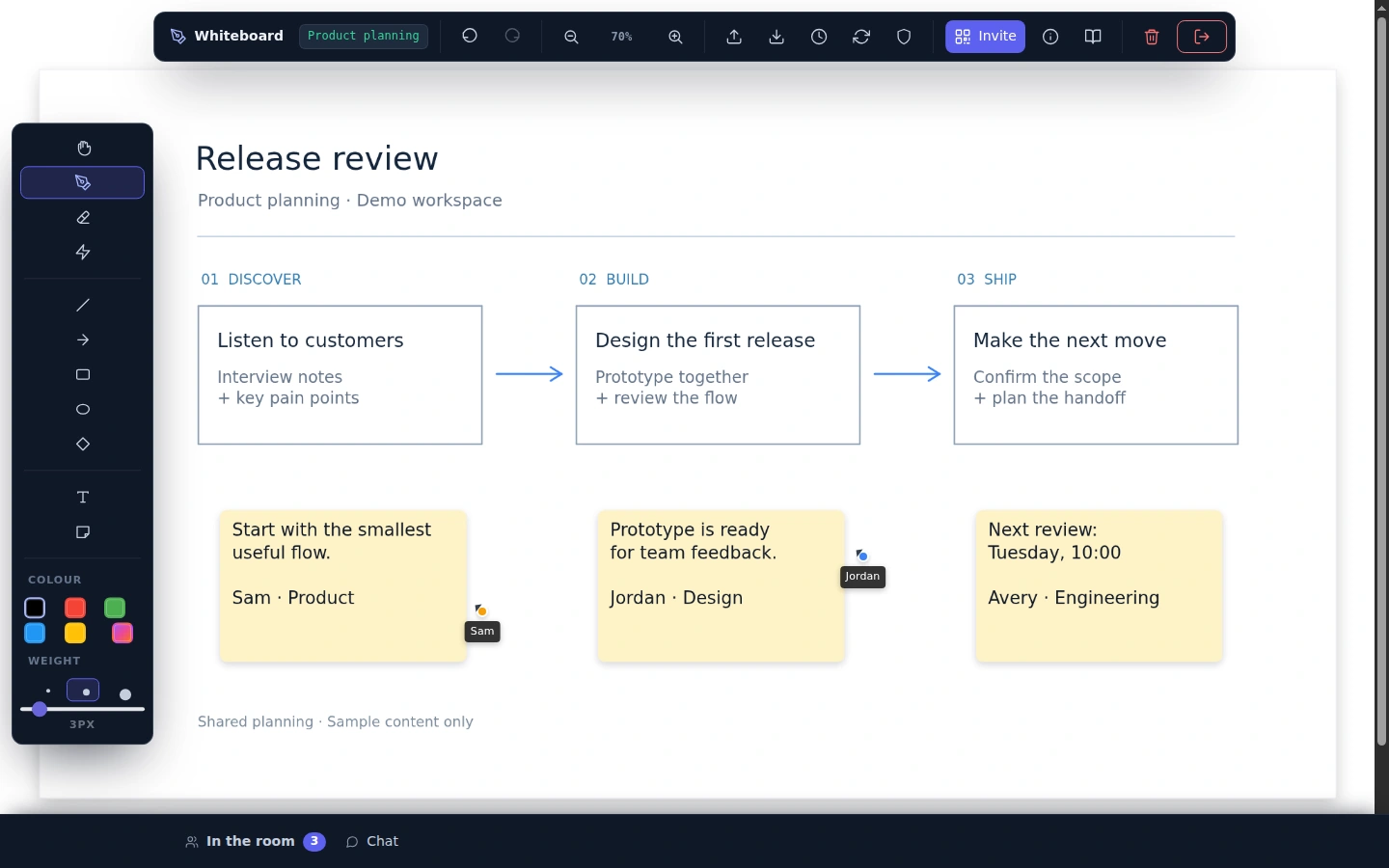
One shared channel. Every participant in the loop.
This is the SDK running on this page — a real channel, a temporary key from this site's own server.Small pieces. Shared possibilities.
Compose what your app needs without building a separate connection for every feature.
Broadcast to a room, address one client, or filter delivery. Use ephemeral messages for fast-changing state.
WebSocket + HTTP fallbackKnow who is connected. Build participant lists, live cursors and join or leave notifications.
Peers + connection eventsSet up peer connections for calls and data, with hosted TURN/STUN relay support when a direct path is unavailable.
Media + data channelsSave shared state in a per-channel key-value store so the next participant can pick up where you left off.
JavaScript today · other clients in progressYour clients, one shared channel. JavaScript, Java, Python and C++ clients talk to one managed service — channels, presence, storage, signaling — and WebRTC media goes peer to peer with relay fallback.Explore the architecture
Built with the SDK
These are working applications, built on the same primitives you can use in your own product.
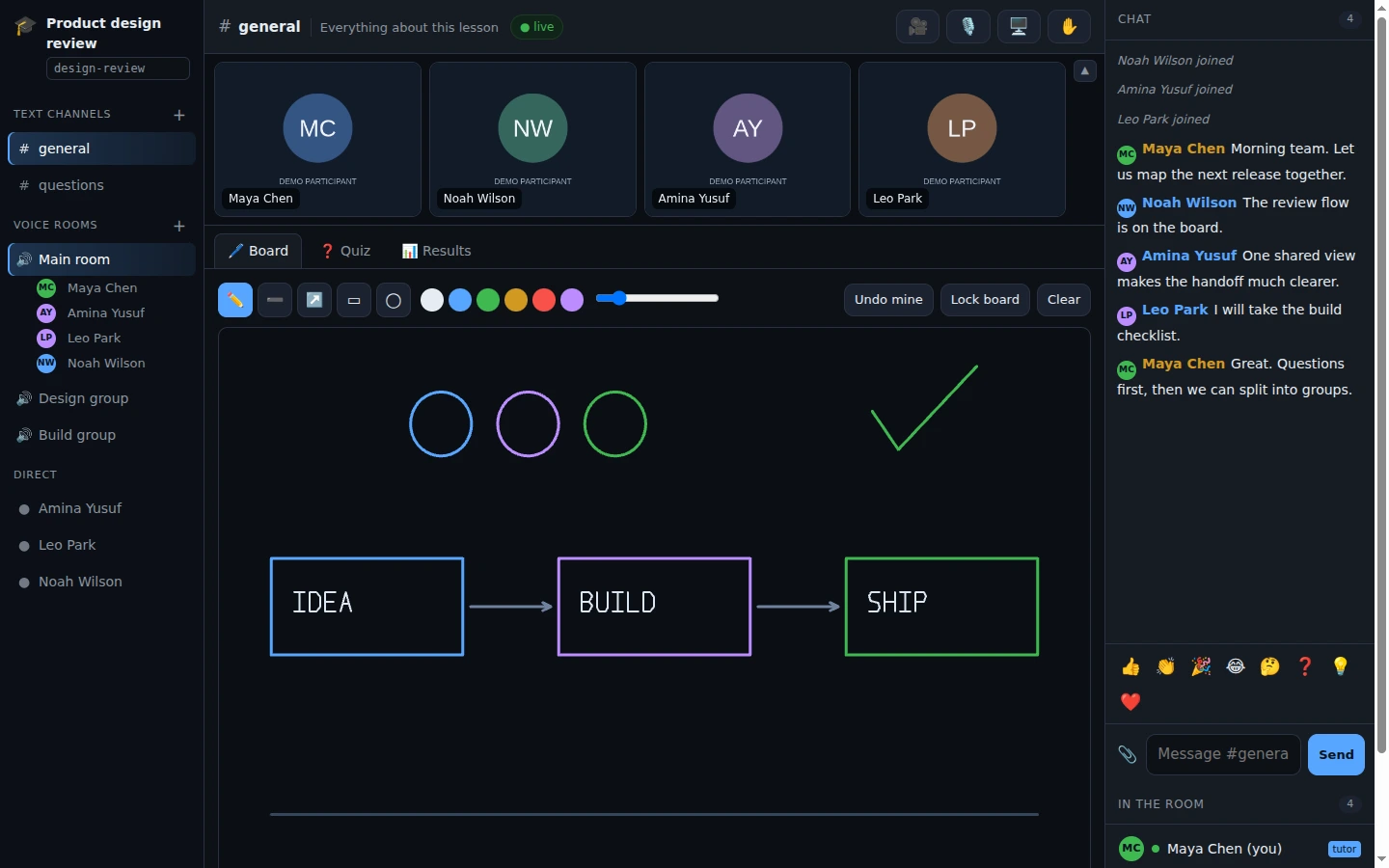
Communication
Bring a call, a shared board and your teammates into one workspace.
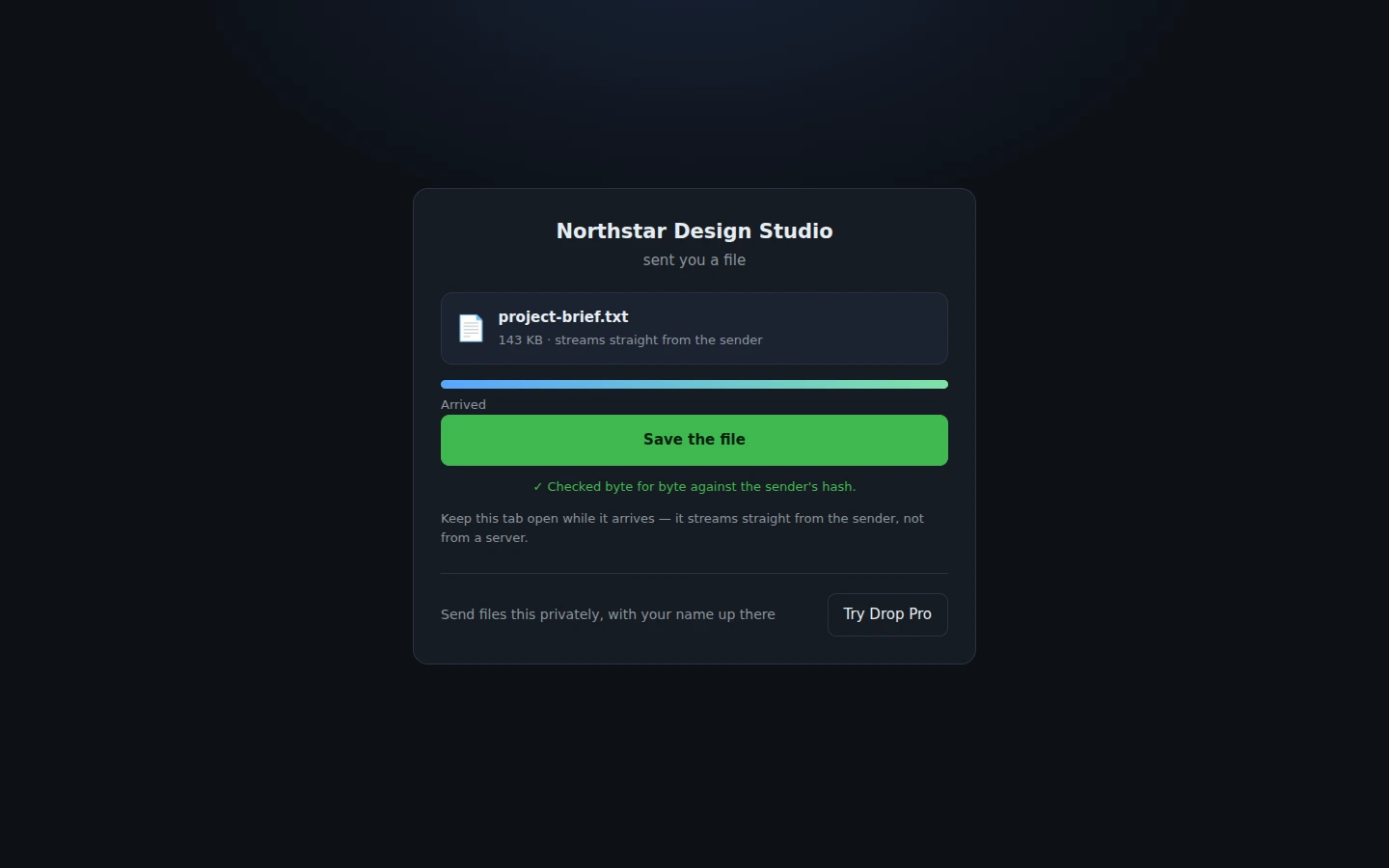
File transfer
Connect your devices and send files through a peer-to-peer data channel.
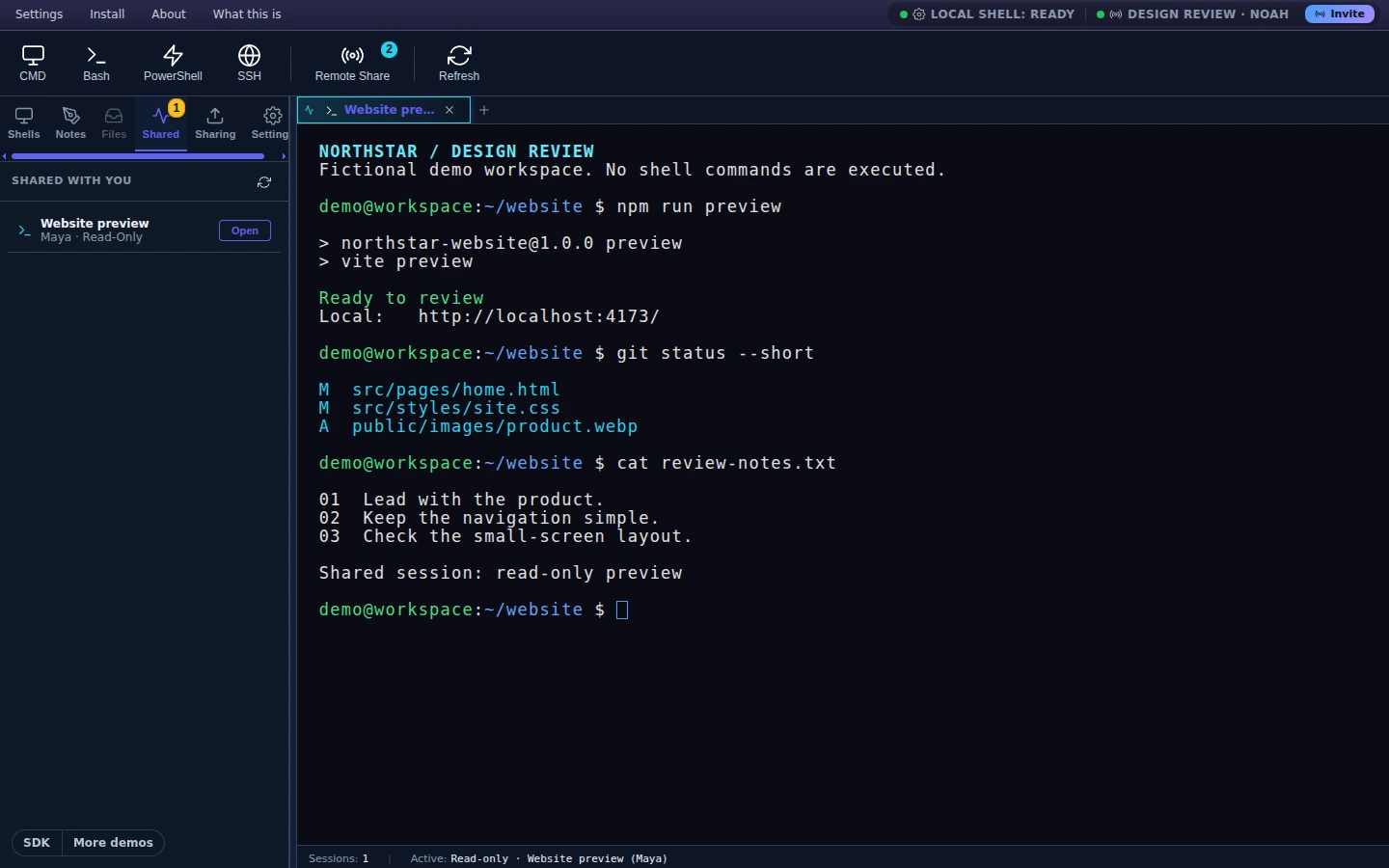
Developer tools
Open a shared browser terminal connected to your machine through the local service.
Play
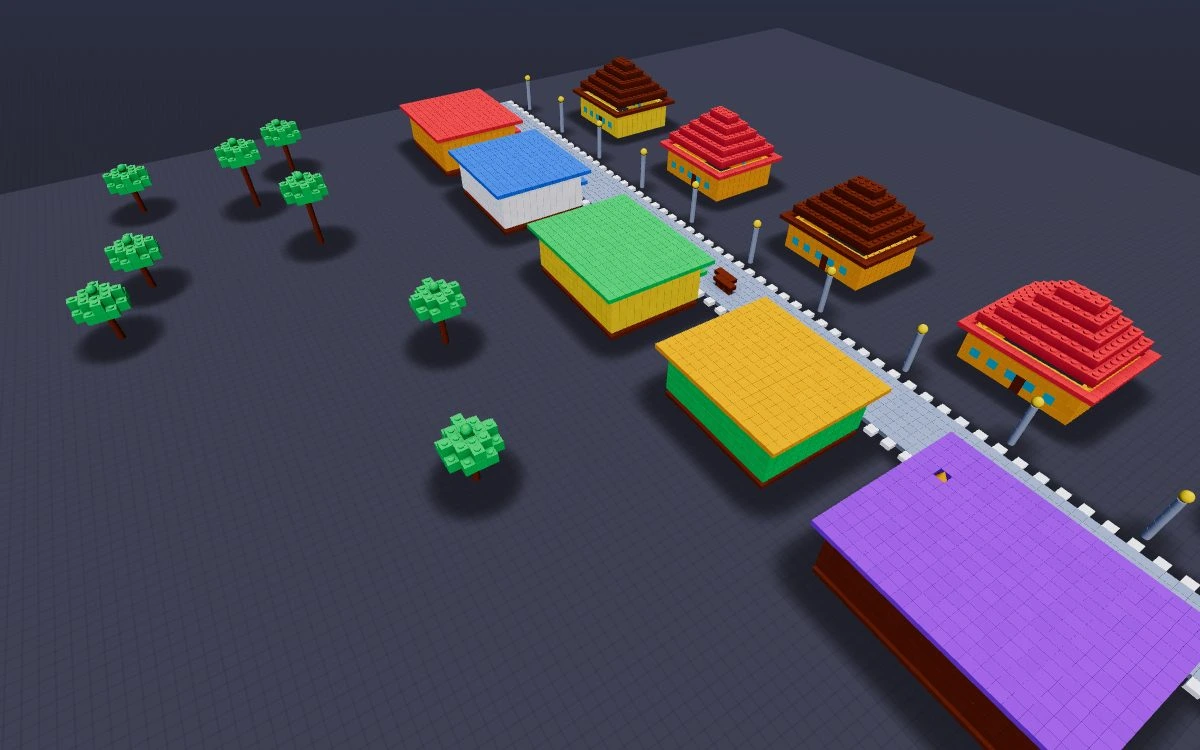
Party Night turns the SDK’s presence, storage and host relay into a polished social game with 15 modes and persistent worlds.
Messages and presence in one channel.
A focused peer-to-peer file demo.
Explore games and interactive examples.
Start building
Connect with a room name and password. Listen for messages. Give another client the same room details and start building together.
Your backend uses the developer API key directly. Browser code uses a temporary key issued by that backend.
Read the complete setup guideLoad these in order; AgentConnection is then a global. (The npm package is not published yet.)
<script src="https://hmdevonline.com/messaging-platform/sdk/generated-web-agent-js/js/web-agent.libs.js"></script>
<script src="https://hmdevonline.com/messaging-platform/sdk/generated-web-agent-js/js/web-agent.js"></script>// AgentConnection is a global once the two script tags have loaded.
const api = 'https://hmdevonline.com/messaging-platform/api/v1/messaging-service';
const agent = new AgentConnection();
agent.addEventListener('message', ({ response }) => {
if (response.status !== 'success') return;
for (const message of response.data || []) {
if (message.type === 'chat-text') console.log(message.content);
}
});
agent.addEventListener('connect', ({ response }) => {
if (response.status === 'success') agent.sendMessage('Hello, room!');
});
agent.connect({
api, apiKey: 'your-temporary-api-key',
channelName: 'design-room', channelPassword: 'shared-secret',
agentName: 'user-' + crypto.randomUUID(), autoReceive: true
});import com.hmdev.messaging.agent.core.AgentConnection;
import com.hmdev.messaging.agent.core.ConnectConfig;
public class SharedRoom {
public static void main(String[] args) throws Exception {
var agent = new AgentConnection(
"https://hmdevonline.com/messaging-platform/api/v1/messaging-service",
"your-api-key");
if (agent.connect(ConnectConfig.builder()
.channelName("design-room")
.channelPassword("shared-secret")
.agentName("java-client")
.build())) {
agent.receiveAsync(events -> events.forEach(event ->
System.out.println(event.getContent())));
agent.sendMessage("Hello, room!");
}
}
}from hmdev.messaging.agent.core.agent_connection import AgentConnection
from hmdev.messaging.agent.core.agent_connection_event_handler import (
AgentConnectionEventHandler,
)
agent = AgentConnection.with_api_key(
"https://hmdevonline.com/messaging-platform/api/v1/messaging-service",
"your-api-key",
)
class RoomEvents(AgentConnectionEventHandler):
def on_message_events(self, events):
for event in events:
if event.get("type") == "chat-text":
print(event.get("content"))
if agent.connect(
channel_name="design-room",
channel_password="shared-secret",
agent_name="python-client",
):
try:
agent.receive_async(RoomEvents())
agent.send_message("Hello, room!")
input("Press Enter to leave the room.\n")
finally:
agent.disconnect()#include <iostream>
#include <map>
#include "hmdev/messaging/api/messaging_channel_api.h"
int main() {
hmdev::messaging::MessagingChannelApi api(
"https://hmdevonline.com/messaging-platform/api/v1/messaging-service",
"your-api-key");
auto connection = api.connect(
"design-room", "shared-secret", "native-client");
std::cout << connection.status << '\n';
}Browser credential handoff
Developers normally have both a frontend and backend. The backend calls the platform directly with its developer API key; it mints a temporary key only when the frontend needs its own platform connection.
Issue short-lived keys from your server. Keep the long-lived developer credential out of browser bundles.
Private scope separates channels by developer. Public scope lets different developers join a shared room.
TLS for API traffic, DTLS for peer connections, and channel passwords hashed before sending.
// The developer key stays here. It may call platform APIs directly.
// This route mints a temporary key only for an authorised browser connection.
app.post('/api/messaging-access', requireSignedInUser, async (req, res) => {
  const platform = await fetch('https://hmdevonline.com/messaging-platform/api/v1/messaging-service/channels/api-access', {
    method: 'POST',
    headers: { 'Content-Type': 'application/json', 'X-API-Key': process.env.MESSAGING_PLATFORM_API_KEY },
    body: JSON.stringify({ ttlSeconds: 30, singleUse: true })
  });
  const body = await platform.json();
  const access = body.data;
  if (!platform.ok || !access?.temporaryKey) return res.status(502).json({ error: 'Could not create messaging access.' });
  res.set('Cache-Control', 'no-store');
  res.json({ temporaryKey: access.temporaryKey, expiresAt: access.expiresAt });
});const access = await fetch('/api/messaging-access', {
method: 'POST', credentials: 'same-origin'
}).then(async response => {
const body = await response.json();
if (!response.ok) throw new Error(body.error || 'Access was not granted.');
return body;
});
const agent = new AgentConnection();
agent.connect({
api: 'https://hmdevonline.com/messaging-platform/api/v1/messaging-service',
apiKey: access.temporaryKey,
channelName: 'design-room', channelPassword: 'shared-secret',
agentName: 'user-' + crypto.randomUUID(), autoReceive: true
});Backend direct access: use the developer API key from your server environment when your backend creates channels, runs a worker, or calls a platform API itself. Do not create a temporary key for server-to-server calls. Create one only after authorising a frontend user who needs to connect from their browser.
Why use a temporary key? If a browser is compromised, the exposed key expires quickly and can be limited to one connection. Your developer key can create access for every client, so it must stay in your server environment—not in JavaScript, a mobile bundle, local storage, or a repository.
Read the complete temporary-key guideFree during beta
Free for development, testing and prototypes. APIs may change, uptime is not guaranteed, and production workloads are not recommended today.
Make something connected
Start with a key. Explore an example. Make it your own.